

If you’re visiting Japan for the first (or for the nth – who are we kidding here), you will probably need some sort of an internet service to keep you connected and be able to plan your next itinerary or even share your photos and videos while you’re exploring country.
The good thing is that there are plenty of services and connection options to choose from – the not so good thing is there are too much to choose from.
In this blog post let me share with you the available options to help you stay connected while visiting Japan, from SIM cards, eSIMs, and Pocket WiFis, as well as some of the services that offer them (because some offer their services in Japanese only, I’ll only include services that have English as an option for a more hassle free experience). Note that this is not an exhaustive list of all the available options out there as there’s just too many and it can be overwhelming, but I hope by reading through it’ll help you drill down on your options and you’ll get an idea of what’s best for you and what suits your travel style the most.
To stay connected while visiting Japan, you basically have three options:
Option 1: Travel SIM Cards
Travel SIM cards are PHYSICAL SIM cards that you insert on your device so that the your device can connect to the network and use it according to the data plan that you bought.
There are a lot of travel SIM card providers in Japan that serve short-term travelers (eg. those staying for 31 days or less), meaning you can just buy a prepaid SIM card that already includes the data plan that you bought, stick the physical SIM card into your phone, activate the SIM card (each provider can have different steps to activate), then you can already start using your internet-connected-phone normally as you would.
Travel SIM Card Pros
- No need to worry about carrying any additional device with you.
- No need to return used SIM Card. After use, you no longer need to return your used SIM card.
- If you’re using a newer phone that can tether (aka share) internet connection, you can share your internet to members of your group. No need for a physical WiFi device.
Travel SIM Card Cons
- You have to arrange to pick it up at the airport (or somewhere else) or have it delivered.
- Can be confusing and a lot of work to set up and activate.
- Your phone must be ‘unlocked’, or else you can’t use any other SIM other than your current provider that your phone is locked with. If your phone is not already unlocked, you need to contact your current network provider first to unlock your phone.
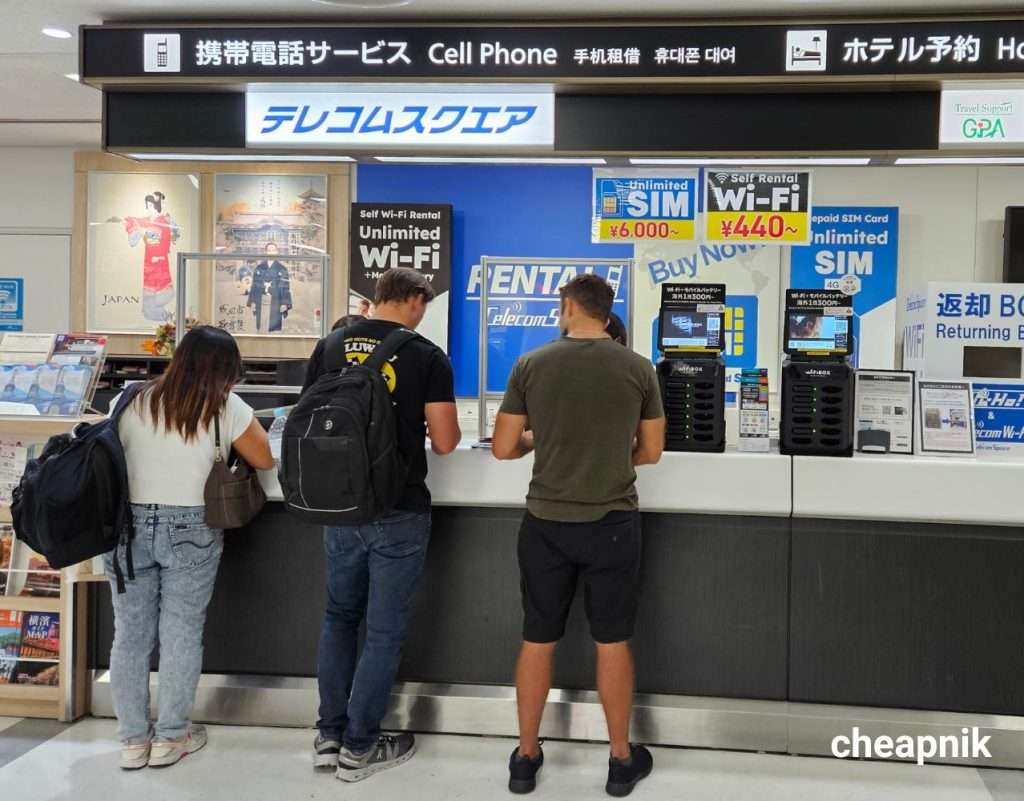
There are a lot of SIM card vending machines and counters selling SIM cards at the arrivals area of almost all international airports in Japan so you shouldn’t have any problem with getting a travel SIM card (they have attendants who can assist you with the activation as well), however they tend to be more expensive than just buying online so the buying travel SIM cards from the airport should be your last option.
You can buy your travel SIM cards online from the following providers before your trip so that you can buy online for less, then just pick them up at the airport upon arrival.
| Travel SIM Cards | Sakura Mobile | Ninja WiFi | Mobal |
| Price (depends on chosen plan) | ¥3,500 to ¥7,000 | ¥3,500 to ¥8,980 | ¥4,730 to ¥7,920 |
| Available days | 5, 8, 12, 16, 21, or 31 days | 5, 8, 12, 16, or 31 days | 8, 16, or 31 days |
| Data Options | Unlimited | Unlimited with an average limit of 3GB of high speed 4G data per day, afterwhich data speed will be reduced | Unlimited with 25GB or 50GB of high speed data, afterwhich data speed will be reduced |
| Hotspot Sharing | Yes | Yes | Yes |
| Network Provider | NTT Docomo | NTT Docomo | Mobal |
| Call and Text | No | No | Available with Japanese Phone Number (additional fees apply) |
| Available in English? | Yes | Yes | Yes |
| Worldwide Shipping | No | No | Yes |
| Airport Pick-up Available? | Narita International Airport (NRT) Haneda International Airport (HND) Kansai International Airport (KIX) Naha Airport (OKA) | Haneda International Airport (HND) Kansai International Airport (KIX) Chubu Centrair International Airport (NGO) Fukuoka International Airport (FUK) New Chitose Airport International Terminal(CTS) | Narita International Airport (NRT) Haneda International Airport (HND) Kansai International Airport (KIX) Chubu Centrair International Airport (NGO) Naha Airport (OKA) |
| Link to Book | Book Online | Book Online | Book Online |
Option 2: Travel eSIM
Travel eSIMs working exactly like SIM cards, except they’re the electronic version of a SIM card. This means that you no longer need a physical SIM card and you no longer need to go through the confusing process of activating a SIM card – with an eSIM, it’s delivered to you usually by email or a QR code that you scan and voila, your eSIM is already set up for you and you can start using internet on your phone as you normally would.
Travel eSIM Pros:
- No need for a physical SIM card.
- No need to pick-up a SIM card or coordinate any SIM Card delivery – you simply receive your eSIM via email or QR code.
- No need to go through the manual process of setting up and activating a SIM card – simply scan QR and you’re ready to go.
- No need to worry about carrying any additional device with you.
- No need to return eSIM. Simply remove the eSIM from your phone settings once you’re done using it.
- If you’re using a newer phone that can tether (aka share) internet connection, you can share your internet to members of your group. No need for a physical WiFi device.
Travel eSIM Cons:
- Not all phones are supported, so you need to check with each eSIM provider the list of supported phone models. Generally, only the newer models support eSIM so if your phone is a newer model, you’d be ok.
- Your phone must be ‘unlocked’, or else you can’t use any other SIM other than your current provider that your phone is locked with. If your phone is not already unlocked, you need to contact your current network provider first to unlock your phone.
Since the eSIM is not a physical SIM, you can easily buy it online then simply scan the QR code that will be delivered to you to set it up. Note that you need an existing internet connection to set up your eSIM, so try to set it up at your home country before your flight to Japan or you also have the option to set it up once you arrive in Japan (they have free WiFi at the airports).
You can get your eSIM online from the following providers:
| Travel eSIM | Sakura Mobile | Softbank | Mobal |
| Price (depends on chosen plan) | ¥850 to ¥12,000 | ¥1,425 to ¥5,129 | ¥1,920 to ¥4,900 |
| Available days | 3, 5, 7, 10, 15, 20, 30, 60, or 90 days | 5, 6, 7, 8, 10, or 15 days | 8, 16, or 31 days |
| Data Options | Unlimited with 1GB, 3GB, 5GB, 10GB, 20GB, 30GB, or 50GB of high speed 4G data, afterwhich data speed will be reduced to a maximum of 200 Kbps | Unlimited option, OR 500MB/Day high speed, then slow down to 128kbps | Unlimited with 1GB, 3GB, 10GB, or 50GB of high speed 4G data, afterwhich data speed will be reduced to a maximum of 200 Kbps |
| Hotspot Sharing | Yes | Yes | Yes |
| Network Provider | NTT Docomo | Softbank | Mobal |
| Call and Text | No | No | No |
| Available in English? | Yes | Yes | Yes |
| Worldwide Shipping | No (eSIM QR delivered via email) | No (eSIM QR delivered via email) | No (eSIM QR delivered via email) |
| Airport Pick-up Available? | No (eSIM QR delivered via email) | No (eSIM QR delivered via email) | No (eSIM QR delivered via email) |
| Link to Book | Book Online | Book Online | Book Online |
Option 3: Pocket Wi-Fi device rental
Pocket WiFis were once the preferred option for traveling in and around Japan – you get a physical pocket WiFi device where you can connect as much devices as you want, making it very hassle free to stay connected especially when traveling in a group.
However times have changed and newer smartphones can now do the same thing that pocket WiFi devices can do – you just need a SIM card or eSIM on your phone and your phone can instantly act as a tethering device, just like a plain old pocket WiFi device.
Given all this, there may still be other cases when it would be the better option, such as when your phone is locked (your best option in this case would be a pocket WiFi) or when your phone does not support eSIM or if you don’t want to have to fumble through your phone settings just to activate a short-term use eSIM or SIM card, because when using a pocket WiFi device you just turn it on and you’re connected in an instant.
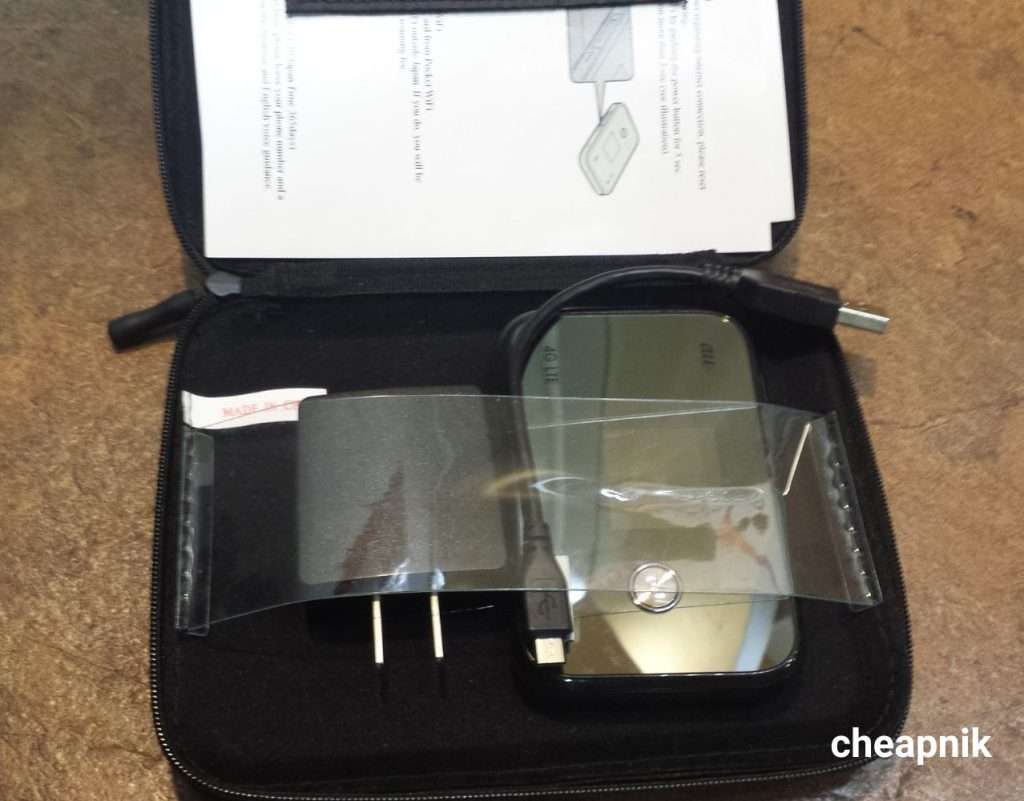
Another good thing here is that some providers (but not all) now include additional features to the pocket WiFi device such as the powerbank and pocket translator options, so the pocket WiFi rental option can still be a good use case.
Pros of renting a Pocket WiFi device
- You can still connect to the internet even if your phone is ‘locked’ to your current network provider.
- Great option if your phone doesn’t support eSIM.
- Great option for those traveling in groups.
- No need to fumble through your phone settings.
- No need to activate anything on your phone – simply connect to your pocket WiFi’s network using the given password and you’re connected in an instant.
- Some devices have powerbank and translator features in it.
Cons of renting a Pocket WiFi device
- You have to arrange to pick it up at the airport (or somewhere else) or have it delivered.
- Although very easy to do, you have to arrange to return the device (usually includes free return mail stamp – just drop it via post or drop box at the airport).
- You need to keep password on hand just in case you need to reconnect, or else you lose access.
- An extra device to carry along with you.
- An extra device to charge. Also the device can run out of battery, leaving you with no connection.
- The device can get lost or damaged, hence can incur additional expenses.
| Pocket WiFi Rentals | Softbank (with Pocket Translator & Powebank) | Sakura Mobile | Ninja WiFi |
| Price (depends on chosen plan) | ¥497/day (internet only) ¥540/day (internet + pocket translator) | ¥750/day | ¥487 to ¥1,122 per day |
| Available days | Custom (pick your # of days) | Custom (pick your # of days) | Custom (pick your # of days) |
| Data Options | Unlimited Data | Unlimited Data | Unlimited with 3GB, 5GB, or 10GB of high speed data per day, afterwhich data speed will be reduced to 128kbps |
| Network Provider | Softbank | NTT Docomo | Softbank |
| Max # of Connected Devices | 10 devices | 5 devices | 5 devices |
| Battery life | 9 hours | 10 hours | 9 hours |
| Available in English? | Yes | Yes | Yes |
| Worldwide Shipping | No | No | No |
| Airport pick-up available? | Narita International Airport (NRT) Haneda International Airport (HND) Kansai International Airport (KIX) | Narita International Airport (NRT) Haneda International Airport (HND) Kansai International Airport (KIX) Naha Airport (OKA) | New Chitose Airport Domestic Terminal (CTS) New Chitose Airport International Terminal(CTS) Naha Airport (OKA) Kansai International Airport (KIX) Narita International Airport (NRT) Haneda International Airport (HND) Fukuoka Airport (FUK) Chubu Centrair International Airport (NGO) Komatsu Airport (KMQ) Kagoshima Airport Domestic Terminal |
| Link to Book | Book Online | Book Online | Book Online |
Check this out: Need an unlimited-ride pass to see all of Japan by shinkansen (aka Bullet Train)? The Japan Rail Pass (JR Pass) may be right for you – check out my blog post on how to buy and use the JR Pass.
Frequently Asked Questions:
1. Should I choose SIM Card or eSIM?
As you can see in the Pros and Cons of SIM Card vs eSIM, you’ll find that the eSIM is the more convenient option so get it if your phone supports it. If your smartphone does not support eSIM then you’re left with the SIM Card option.
2. Are there FREE WiFi options instead?
As a matter of fact, there are. Check out the following options for visitors to get free WiFi access while exploring Japan:
- Softbank, one of Japan’s largest internet network providers, has a free WiFi service called “Free Wi-Fi Passport” where you can connect to around 400,000 hotspots across Japan for free for two weeks.
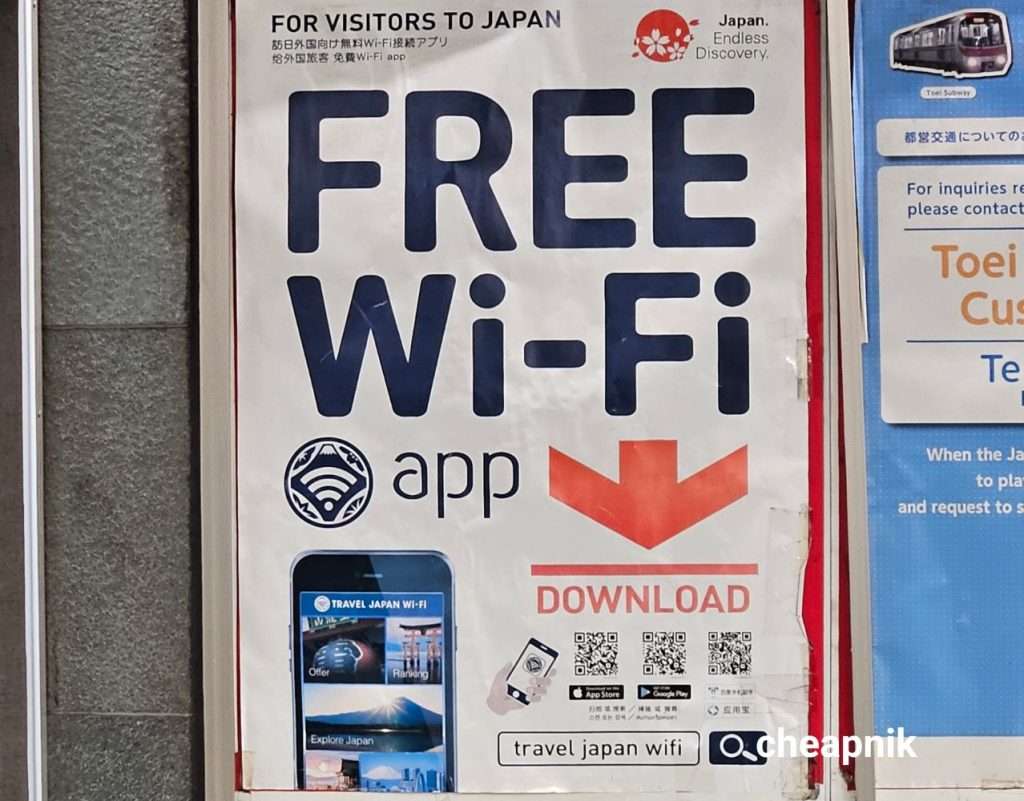
- Travel Japan WiFi is a mobile app (available for iOS / Android users) that basically gathers up all available WiFi hotspots and puts them in a ‘WiFi Map’ to show you up to 200,000 free WiFi hotsports across Japan.
These hotspots are usually located in restaurants, cafes, convenience stores, train stations, hotels, and other major tourist sports.
As there are hundreds of thousands of WiFi hotspots located across Japan with different entities serving them, there’s no guarantee that each and every hotspot will have a consistent service across the board. There will be some that have seamless connectivity while others will have spotty service, depending on your location.
When using these free WiFi hotspots, take into consideration that Free WiFi hotspots, more often than not, doesn’t have encrypted network connections – multiple strangers connected to a hotspot that’s not encrypted is not great for your privacy and security – so try to avoid using public hotspots as much as possible.
Another reason I don’t recommend just relying solely on free WiFi hotspots is that you’re still gonna need internet connection during those times you’re not located in a ‘WiFi hotspot’ anyway, so why not just buy a SIM / eSIM / Pocket WiFi to ensure you’re connected throughout your entire stay without having to find a WiFi hotspot. Sure, the free WiFi hotspots are a great, free option in those times that you don’t have a connection and you badly need one, however, just relying on these free hotspots will just make you stuck to those places and can take away from the total experience (which is, to roam around and explore freely as you wish).
Above Free WiFi options would make a great compliment in addition to your paid SIM/eSIM/Pocket WiFi, though.
Do you have any other questions, or have any tips to share on getting SIM Cards, eSIMs, and Pocket WiFi devices in Japan? Feel free to comment down below and I’ll get back to you the soonest! 🙂


