

Booking a ticket for Japan’s Shinkansen, the bullet train, sounds like it should be simple, and once you know which platform to use, it is. The problem is that Japan’s official booking sites don’t all behave the same way: coverage splits by region, some let you pick your exact seat and others assign one for you, and picking the wrong one at the wrong moment can mean standing in a station line during a holiday weekend watching trains sell out ahead of you.
Here’s what actually separates each option, so you can skip the trial and error. (This post is one piece of my complete Shinkansen guide for first-timers, if you’re planning the whole trip end to end.)
Why it’s worth choosing the right booking method
It’s tempting to think “I’ll just figure it out when I get there,” and for a lot of trips that’s fine. But a few things make picking the right platform, and booking ahead, worth sorting out in advance:
- Reserved seats sell out. During Golden Week (early May), Obon (mid-August), and the New Year period (December 28 to January 3), popular trains can fill up completely, especially if you’re traveling with a group and want to sit together.
- Oversized luggage needs a specific reservation. On the Tokaido, Sanyo, and Kyushu Shinkansen, any bag with total dimensions between 160cm and 250cm requires a designated oversized baggage seat, and not every booking channel makes that option obvious. If you board without reserving one, you’ll be charged a ¥1,000 penalty fee and moved to a designated spot by train staff – full details in my Shinkansen luggage guide.
- The booking method affects your seat options. Some channels let you pick your exact seat, others assign one automatically, and only some let you book a JR Pass reservation at all.
None of this is complicated once you know the landscape. It’s just spread across more platforms than it probably should be.
TL;DR
If you want the short version before the full breakdown: for most first-time visitors, SmartEX is the easiest way to book online for the Tokyo-Osaka-Hiroshima-Fukuoka corridor, and station ticket machines are the easiest fallback for everything else, including JR Pass holders and any line SmartEX doesn’t cover. Everything below explains why.
Option 1: SmartEX – for Tokaido, Sanyo, and Kyushu Shinkansen
SmartEX is the official booking platform for the busiest stretch of track in the country, and if your trip is the classic Tokyo-Kyoto-Osaka route, it’s the most direct place to start, run by the JR companies operating the line itself rather than a third party. It covers the Tokyo–Kyoto–Osaka–Hiroshima–Fukuoka–Kagoshima corridor.
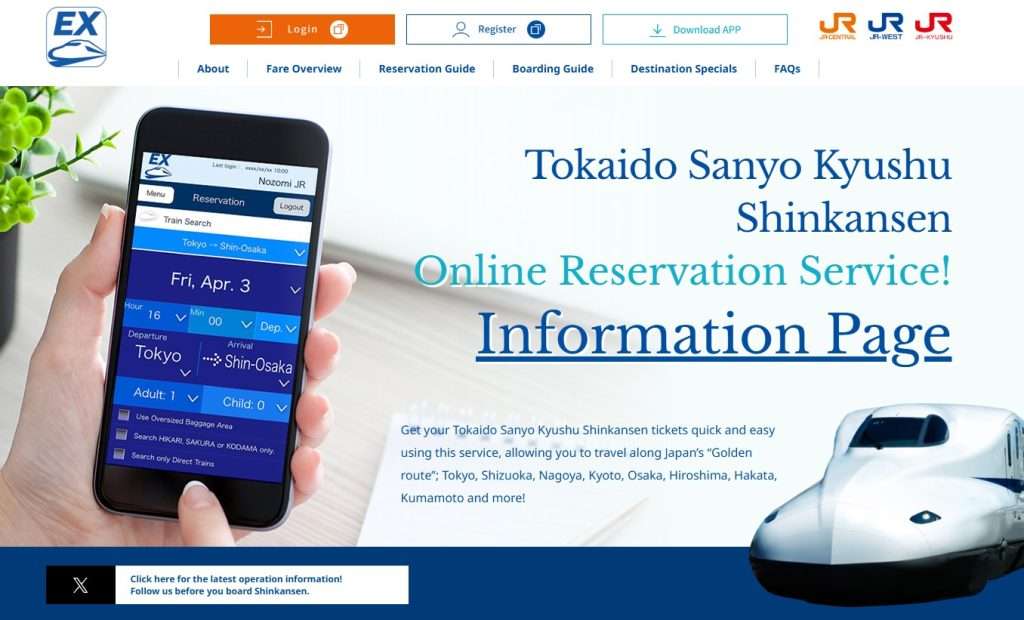
What it’s good for: Booking from home before your trip, choosing your exact train and seat, and linking a physical or mobile IC card (Suica, Pasmo, ICOCA) so you can tap straight through the gate with no paper ticket.
How it works: Register for free at smart-ex.jp, link a credit card, then search and book your route. During checkout, you can link a physical or digital IC card as your boarding method, or receive a QR-code ticket to scan directly at the gate (iOS users can save it straight to Apple Wallet).
The upside: Smart-EX allows advance reservations up to 1 year in advance for many routes (the seats are officially processed/assigned when the 1-month window opens) – something that matters a lot for bookings during peak seasons.
The catch: It only covers the Tokaido, Sanyo, and Kyushu lines (Confused with which Shinkansen line to take? Check out my Shinkansen Lines Explained blog post for easy reference). If your trip includes Tohoku, Hokkaido, Joetsu, Hokuriku, Yamagata, or Akita, you’ll need a different platform for that leg, which is the JR-EAST Train Reservation (Eki-net) – more on this as below.
Another catch: While Smart-EX officially accepts major card networks (Visa, Mastercard, Amex, JCB, Diners), foreign-issued credit cards frequently fail or get blocked during registration or checkout – if you encounter this issue with SmartEx, check out my blog post on how to resolve SmartEx credit card booking issues.
Option 2: JR-EAST Train Reservation (Eki-net) – for Tohoku, Hokkaido, Joetsu, Hokuriku, Yamagata, and Akita Shinkansen
SmartEX stops being useful the moment your trip heads north or inland, that’s exactly where this one takes over. Eki-net is JR East’s official reservation platform, covering the Tohoku, Hokkaido, Joetsu, Hokuriku, Yamagata, and Akita Shinkansen, essentially everything SmartEX’s territory doesn’t reach (Confused with which Shinkansen line to take? Check out my Shinkansen Lines Explained blog post for easy reference).
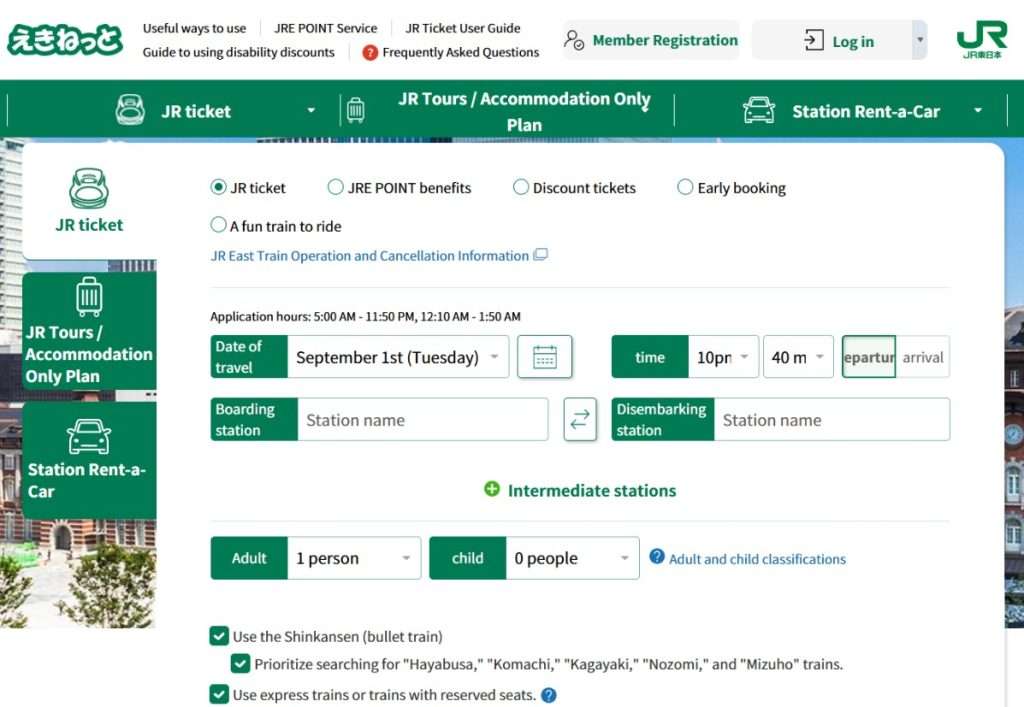
What it’s good for: Booking online for any JR East line, from home or on the road.
How it works: Register for free at eki-net.com, link a credit card (Visa, Mastercard, JCB, Amex, and Diners Club are all accepted, and the card needs to be enrolled in 3D Secure 2.0), then search and book your route. For Shinkansen trains specifically, you can choose an e-ticket linked to an IC card like Suica or PASMO and tap through the gate, the same ticketless approach SmartEX uses, or pick a physical ticket to collect at a station machine instead. One limit worth planning around: bookings open one month before travel, a shorter window than SmartEX’s.
The catch: Some travelers report more friction with overseas credit cards on this platform than on SmartEX. If your card gets rejected, station machines and counters accept the same cards without issue, and Klook (covered below) is a solid online fallback too, since it’s built specifically for foreign payment methods.
One extra feature worth knowing about: JR East also runs a separate service called “Touch de Go! Shinkansen,” which lets you tap a linked IC card (Suica, PASMO, etc.) directly at the gate for non-reserved seats on JR East lines, with no advance booking needed at all. Note that standard physical IC cards require a quick one-time registration at a JR East ticket machine before your first ride, though the Welcome Suica Mobile app has this feature pre-activated. It’s the closest thing to true tap-and-go the Shinkansen offers, but it’s limited to non-reserved seating within JR East’s territory.
Option 3: Station ticket machines
This is a good place to start for every first-timer because it works no matter what goes wrong with the apps above. Every Shinkansen station has ticket machines with a full English-language option (and most tourist-popular stations have English-speaking staff to guide you as you work the machine), and once you know the flow, they’re often faster than booking online.
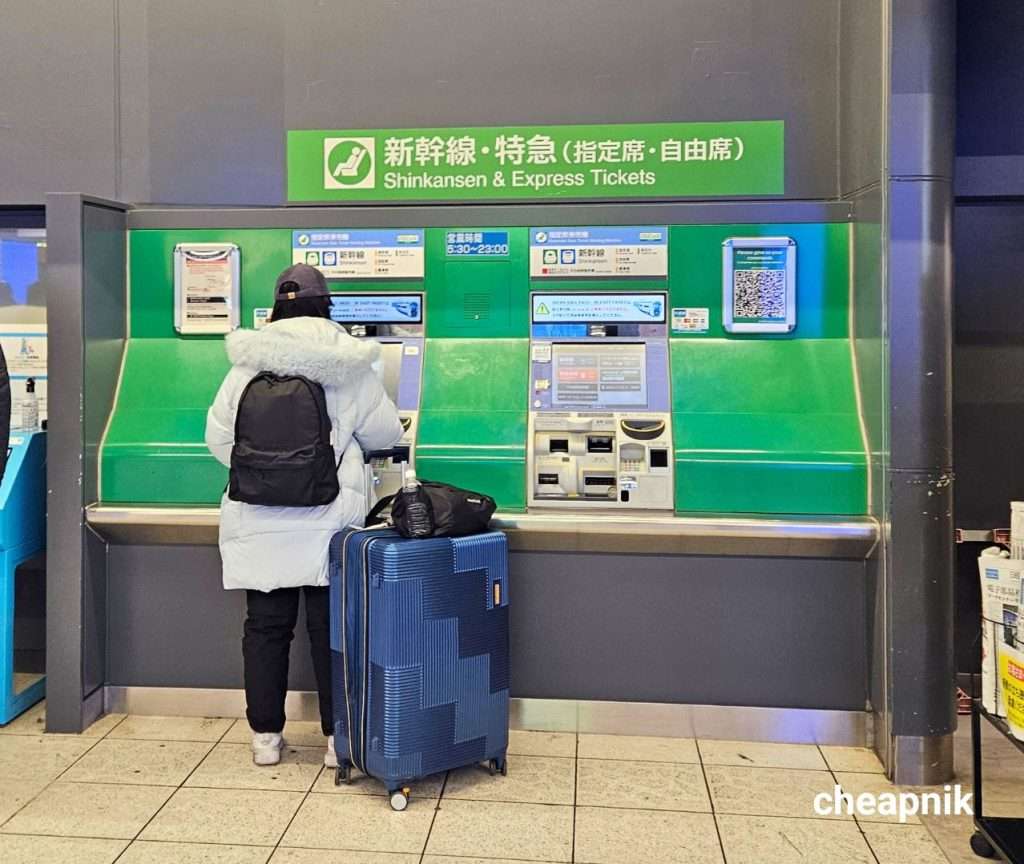
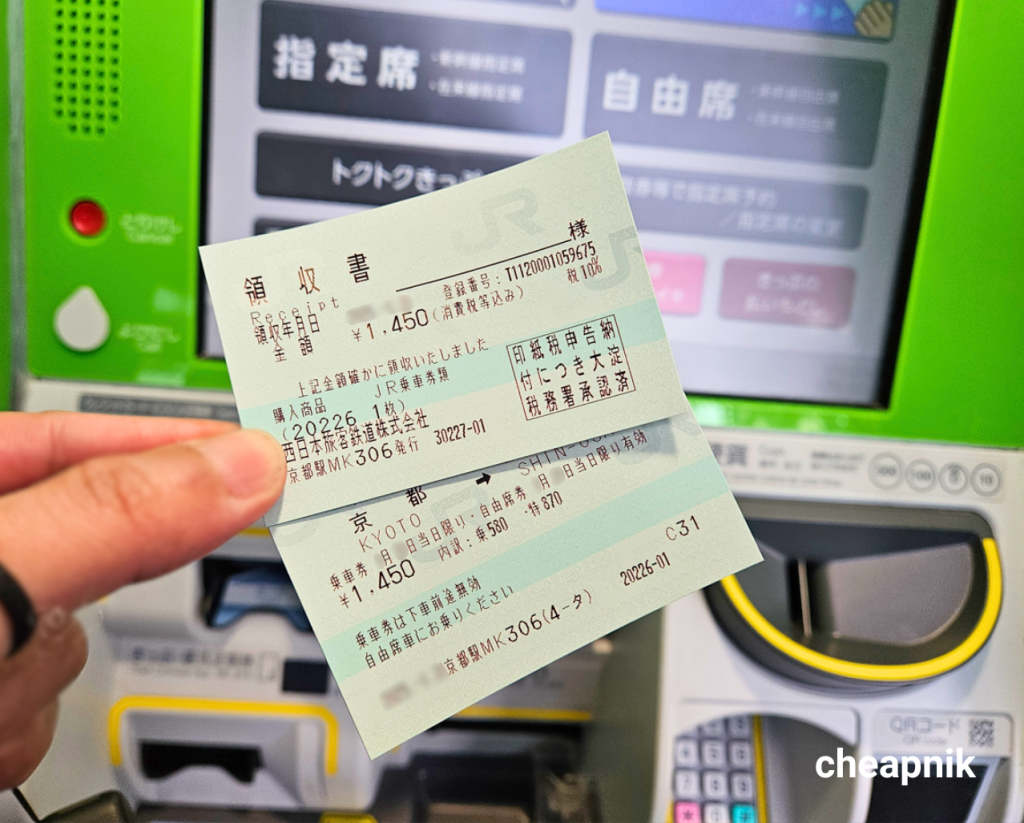
What it’s good for: Buying same-day or near-term tickets, picking up tickets booked online, making seat reservations with an active JR Pass, and picking up passes reserved directly via official JR websites (note: paper vouchers bought from third-party travel agencies may still require exchange at a staffed window). It accepts both cash and credit card.
How it works: Select English on the touchscreen, then either scan or enter the reservation number from an online booking to collect a ticket you’ve already paid for, or search directly by route, date, and train if you’re buying fresh. From there you’ll pick reserved or non-reserved seating (and, if you’re using a JR Pass, insert or scan it to make your reservation against it), confirm, and pay. A printed ticket comes out in under a couple of minutes.
The upside: No account registration, no card rejection headaches, and you walk away with your ticket in hand within a couple of minutes. If you’re using a JR Pass, this is one of your two valid channels for making seat reservations, alongside staffed counters.
The catch: You need to already know your train, route, and roughly your timing. It’s not the tool for browsing options at leisure, it’s the tool for executing a plan you’ve already made.
Option 4: Staffed ticket counters (Midori-no-madoguchi)
When a machine can’t solve your problem, this is where you go. The green-signed Midori-no-madoguchi counters, found in every major JR station, are staffed by actual humans who can untangle bookings a touchscreen simply can’t.
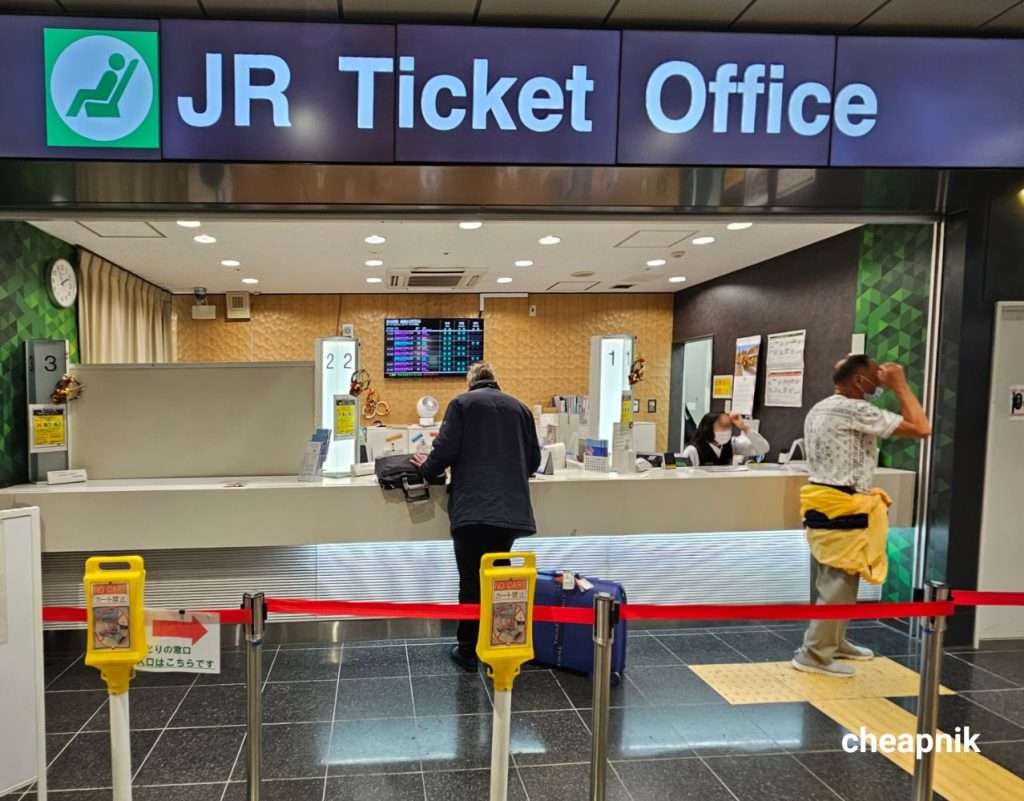
What it’s good for: Complicated itineraries, JR Pass exchanges and reservations, oversized luggage seat bookings, or any situation where you’d rather just explain what you want in person.
How it works: Take a number or queue at the green-signed Midori-no-madoguchi window, then tell the staff (or point to a written itinerary, useful if there’s a language gap) your route, date, and preferred train type. They’ll check availability, confirm your seat, and print the ticket on the spot. Bring your JR Pass exchange voucher here if that’s what you’re doing, they’ll issue the physical pass and can book your first reservation in the same visit. They accept cash or card payments.
The upside: English support is generally available at major stations, and a staff member can solve problems a machine can’t, like splitting a multi-leg trip or explaining your options if a route is fully booked.
The catch: Lines can be long, especially at big stations like Tokyo, Kyoto, or Shin-Osaka during peak travel windows. If you can use a machine instead, it’ll usually be faster.
Option 5: Klook
Klook is a popular platform for Shinkansen bookings. It’s an authorized online travel agency with direct JR system integration, not just a reseller, and it sells individual point-to-point tickets (not only passes), covering multiple JR operators in one search instead of forcing you to figure out which official site handles which line.
What it’s good for: Travelers who want an English interface, a single platform for tickets across different JR companies, and payment methods (cards, PayPal, digital wallets) that don’t always work on Japanese-run sites.
How it works: Search your route on Klook’s Shinkansen page, choose your train, date, and seat type, then check out. On many routes you get a QR code you can scan directly at the gate, no station pickup needed. On other routes with starting points and/or destinations that don’t support QR code at the gates, you’ll pick up a physical ticket at a machine or at the staffed ticket counters using a code from your booking.
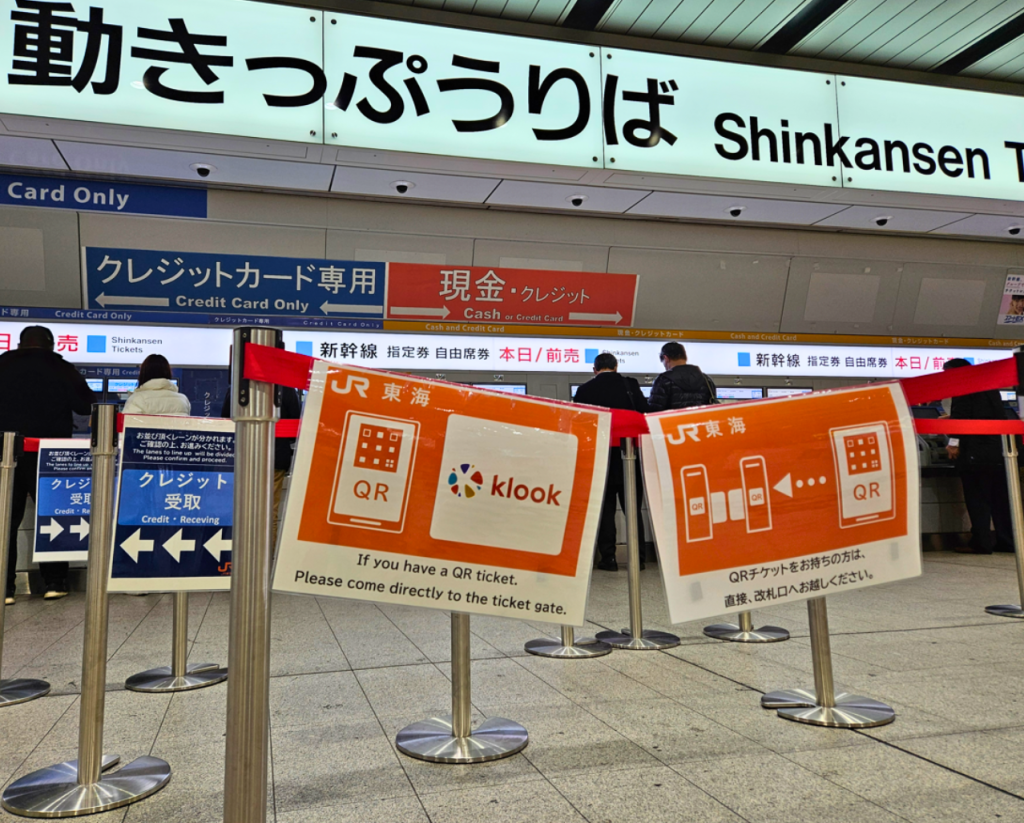
The upside: Base pricing generally matches official JR fares, but Klook often adds a booking fee or service charge on point-to-point Shinkansen tickets compared to buying directly from SmartEX or at a station. Klook occasionally runs promo discounts on top, though, so make sure to watch out for discount codes. It’s also genuinely useful if you’re already booking passes, SIM cards, or tours through Klook and want one place to manage everything.
The catch: You can choose a seat type and preference (Green Car vs. Ordinary, Mount Fuji side, oversized luggage space), but not an exact seat number, so if picking your precise seat matters to you, book directly with the railway instead. QR boarding also isn’t universal across every route, so double-check your voucher instructions before travel day.
Option 6: Trip.com
Trip.com is an official reseller for JR East, JR West, JR Central, and JR Kyushu, not just a marketplace sitting on top of the railway. Between those four operators, it covers roughly 90% of Shinkansen routes nationwide.
What it’s good for: Travelers who already use Trip.com for flights or hotels and want to keep their whole trip in one account, or anyone who wants to lock in seats well ahead of time.
How it works: Search your route on Trip.com’s train section, pick your train and seat class, and pay online. You can book up to 90 days in advance, which is further out than most official JR platforms allow, useful if you’re planning around a specific peak-season date and want first pick of seats.
The upside: Because it’s a direct reseller relationship with four of Japan’s JR operators rather than a layer of aggregation, ticket issuance tends to be straightforward. Pricing sits close (with some markup) to the official fare as well.
The catch: Coverage isn’t 100%, so double-check your specific route is included before relying on it, especially anything on JR Hokkaido lines, which sits outside this particular reseller agreement. And as with any reseller, compare the total against booking direct before you commit.
Klook vs. Trip.com: quick wrap-up
Since these two come up the most, here’s the short version of how they differ:
- Coverage: Klook markets itself across multiple JR operators in one search; Trip.com is a direct reseller specifically for JR East, JR West, JR Central, and JR Kyushu, covering about 90% of routes. Neither guarantees every line, so check your specific route either way.
- Seat control: Klook lets you pick a seat type and preference (window side, Green Car, oversized luggage space) but not an exact seat. Trip.com’s booking flow follows the standard class selection you’d get booking direct.
- Boarding: Both Klook and Trip.com offer QR-code gate entry on many (not all) routes – if QR code not available at your station, you’ll have to physically claim your tickets at the station by showing purchase receipt.
- Booking window: Trip.com allows booking up to 90 days out, further ahead than most official JR platforms. Klook’s window tends to follow closer to standard JR booking timelines.
- Best fit: Klook if you want one app that also handles your passes, SIM card, and tours. Trip.com if you’re already booking flights and hotels there, or you want the most direct reseller relationship with the fewest layers between you and the railway.
Either one beats guessing at a Japanese-only site with a card that keeps getting rejected. Pick based on what else you’re already booking through.
Reserved vs. non-reserved: a quick note before you book
Whichever channel you use, you’ll be asked to choose between a reserved seat, a non-reserved seat, or (on some trains) Green Car or Gran Class, full comparison of what each tier actually gets you in my Shinkansen seat classes guide. Reserved seats guarantee you a specific seat and are worth it during busy periods or if you’re traveling as a group. Non-reserved seats are slightly cheaper and offer flexibility if you miss a train, but during busy hours you may end up standing if those cars fill up.
Two key exceptions to know before relying on non-reserved tickets:
- All-Reserved Trains: Certain high-speed express trains—like the Hayabusa (to Hokkaido) or Kagayaki (to Kanazawa)—have no non-reserved cars at all; a reservation is mandatory before boarding.
- Peak Season Rules: On the popular Tokyo–Osaka route, Nozomi trains operate as 100% reserved seating during peak holiday periods (Golden Week, Obon in mid-August, and New Year).
Which option should you actually use?
Here’s how I’d match the method to the traveler:
- First trip, sticking to the Tokyo-Kyoto-Osaka-Hiroshima route: SmartEX, booked ahead if you’re traveling during a peak period.
- Heading north to Tohoku, Hokkaido, or the Japanese Alps: JR-EAST Train Reservation, with a station machine as backup if your card gets rejected.
- Using a JR Pass: Station machines or staffed counters for reservations, since these are the two channels that work with the physical pass.
- Traveling with oversized luggage: A staffed counter, so you can confirm you’re getting a seat with the designated baggage area.
- Want one app for tickets across multiple JR lines, plus passes and tours in the same place: Klook.
- Already booking flights or hotels through Trip.com and want to keep everything in one account, or want to lock in seats furthest in advance: Trip.com.
Two things worth knowing before you book
Do you need a Japanese phone number to book online?
No, not for standard booking on SmartEX or JR-EAST Train Reservation, both are built specifically for overseas visitors and accept foreign-issued cards. The one exception: Eki-net’s discounted “Tokuda-ne” fares require a Japanese address and phone number to access, so if you’re chasing the absolute cheapest fare, that particular discount tier is off-limits without one.
Can you change or cancel a ticket after booking?
Yes, and it’s more flexible than most people expect. On SmartEX, you can change your train as many times as you like at no charge, right up until 4 minutes before departure, as long as you haven’t already picked up a paper ticket or passed through the gate. Cancel before departure and you can process it yourself; miss that window and refunds go through automatically the next day, minus a small fee.
Ticket in hand, the next question is usually how to actually find your platform and car once you’re at the station. My Shinkansen boarding and platform guide walks through reading your ticket, finding your car, and getting on without the scramble.
Ticket booking platforms and other details may change. Confirm current details before booking.


